


Most subscription plugin for WordPress do one of two jobs. They gatekeep content and manage memberships, or they run recurring billing on top of WooCommerce. Few site owners know which one they need before they install any such plugin.

Every listing in this blog comes from a feature audit against the plugin’s own documentation, a pricing check against the vendor’s current page, and a use-case match against real store setups. Not recycled specs from someone else’s roundup.
If you’re setting up WordPress subscription management for a content site, courses, communities, gated posts, you want a membership plugin. If you’re adding a WooCommerce Subscription Plugin to sell products or services on a recurring schedule, you want a billing extension built for WooCommerce’s checkout flow.
The two categories rarely overlap well.
This blog covers both categories side by side: pricing, setup time, and where each plugin breaks down under real use.
What is a Subscription Plugin For WordPress?
A subscription plugin for WordPress charges customers on a recurring schedule, weekly, monthly, or yearly, and can restrict content or product access by membership tier.
It replaces one-time checkout with automated billing and customer subscription management: renewals, cancellations, and payment updates handled without touching the database.
What WordPress subscription plugins handle:
- Content or product access restricted by plan or tier
- Recurring billing on a set schedule
- Self-service account management: upgrade, downgrade, cancel, update payment
- Reporting on active subscribers, churn, and revenue
- Customizable registration and checkout forms
How Subscription Plugin For WordPress Work (Step-By-Step)
Every subscription plugin runs the same five-step cycle, whether it’s gating a course or billing a WooCommerce order.
- Set up a plan. Define price, billing interval, and what the plan unlocks: a course, a product, a content category.
- Customer subscribes. They fill out a signup or checkout form, connect a payment method, and get instant or scheduled access.
- Auto-renewal runs. The plugin charges the saved payment method on the billing date and extends access automatically.
- Customer manages their own account. Upgrade, downgrade, pause, or cancel, no support ticket needed.
- Admin monitors from the dashboard. Active subscriber counts, failed payments, churn, and revenue in one report.
Why This Matters
Subscription plugins for easy recurring payment work because customer retention math favors them. Here’s the case in five numbers.
- Subscription-based stores are 18% of WooCommerce stores, and that share is growing (Colorlib, 2026).
- Subscription WooCommerce stores run about 15% average churn, but subscribers show 2.3 times higher lifetime value than one-time buyers (Marketing LTB, 2026).
- A new customer costs 5 to 25 times more to acquire than an existing one costs to retain (Harvard Business Review, 2014).
- A 5% increase in retention raises profit 25% to 95%, depending on industry (Bain & Company).
- WordPress runs 42.5% of all websites, and WooCommerce powers roughly a third of the ecommerce sites built on it (BackToFrontShow, 2026).
Evaluation Criteria of Subscription Plugin For WordPress (What We Tested)

Every WordPress subscription plugin in this guide got checked against the same 5 criteria in every comparison below.
- Setup time. Install to a live subscription plan.
- Payment gateway support. What works out of the box versus what needs an add-on.
- Content restriction depth. Page, category, or product-level access, or just site-wide.
- Self-service options. What a subscriber can change without contacting support.
- Pricing transparency. Real cost visible on the vendor’s site, or hidden behind a sales form.
Quick Comparison of Subscription Plugin For WordPress in 2026
| Plugin | Category | Verified starting price |
| MemberPress | Membership + LMS | $199.50/yr intro (Launch, 4.9% txn fee), renews $399 |
| Paid Memberships Pro | Membership | Free core; Standard $499/yr; Max (hosted) $999/yr |
| Kadence Memberships (Liquid Web) | Membership | Free tier on WP.org; full features via Kadence Pro, $299/yr |
| Ultimate Member | Membership / community | Free core; Standard $276/yr |
| ARMember | Membership | Free lifetime; Standard $79/yr |
| WooCommerce Subscriptions | WooCommerce billing | $279/yr, 1 site |
| YITH WooCommerce Subscription | WooCommerce billing | Free core; Premium ~$199.99/yr |
| WPSubscription | WooCommerce billing | Free core; paid from $89/yr, lifetime $179 |
| SUMO Subscriptions | WooCommerce billing | $49 one-time (CodeCanyon) |
| WP Simple Pay | Standalone recurring payments (Stripe only) | Free (Lite, 3% txn fee); Plus $99.50/yr for recurring |
| Easy Digital Downloads | Digital product subscriptions | Free core; Extended Pass $199.50/yr unlocks Recurring Payments |
| Constellation – Memberships | WooCommerce membership/access | $249/yr |
Top Subscription Plugin for WordPress and WooCommerce in 2026
Here are the 12 best subscription plugin options for WordPress and WooCommerce
MemberPress

The most complete option, if you can absorb the year-two price jump.
MemberPress bundles membership, LMS, and coaching tools into one plugin, so most creators never need a second plugin for courses or content dripping. The tradeoff sits in the pricing structure: every plan doubles at renewal, and the entry Launch plan carries a 4.9% transaction fee until you upgrade.
Where it shines
- Unified subscription and content-restriction engine in one plugin
- Easy Affiliate platform bundled free on Growth and Scale
- ReadyLaunch site builder gets a membership site live fast
Where it falls short
- Entry plan charges a transaction fee on every sale
- Full renewal pricing only shows after the introductory year
- PayPal and Square require Growth or higher
What you get
- Unlimited members and memberships
- Drip content and content dripping rules
- Self-serve member dashboard
- Built-in course and LMS tools
- Stripe on Launch, PayPal and Square on Growth+
- Automated reminder emails
MemberPress Pricing:
Launch $199.50/yr intro, renews $399.
Growth $349.50/yr intro, renews $699 (most popular).
Scale $499.50/yr intro, renews $999.
Who it’s for: creators running memberships and courses together who’d rather not stitch two plugins together.
Paid Memberships Pro

The most genuinely free option, plus a hosting upsell most competitors don’t offer.
PMPro’s core plugin is fully open source with no artificial feature caps, which is rare in this category. Its 2026 repricing added managed-hosting tiers, so the paid plans now bundle server infrastructure alongside the plugin license, not just support.
Where it shines
- Unlimited free-tier sites with no site cap
- Stripe and PayPal included in the free version
- 100-day money-back guarantee on paid plans
Where it falls short
- Content dripping needs a paid add-on
- WooCommerce integration is a separate add-on, not core
- Max hosting tiers only pay off if you want PMPro managing your server too
What you get
- Unlimited free or paid membership levels
- 28 content-restriction types
- Customizable checkout and member dashboard
- 25 free add-ons, more on paid plans
Paid Memberships Pro Pricing:
Free core plugin.
Standard $49/mo (self-hosted, 1 site).
Max $99/mo (hosted, most popular).
Max 2x $299/mo (higher traffic).
Who it’s for: budget-conscious site owners who want to test a membership model before paying anything.
Kadence Memberships (Liquid Web)
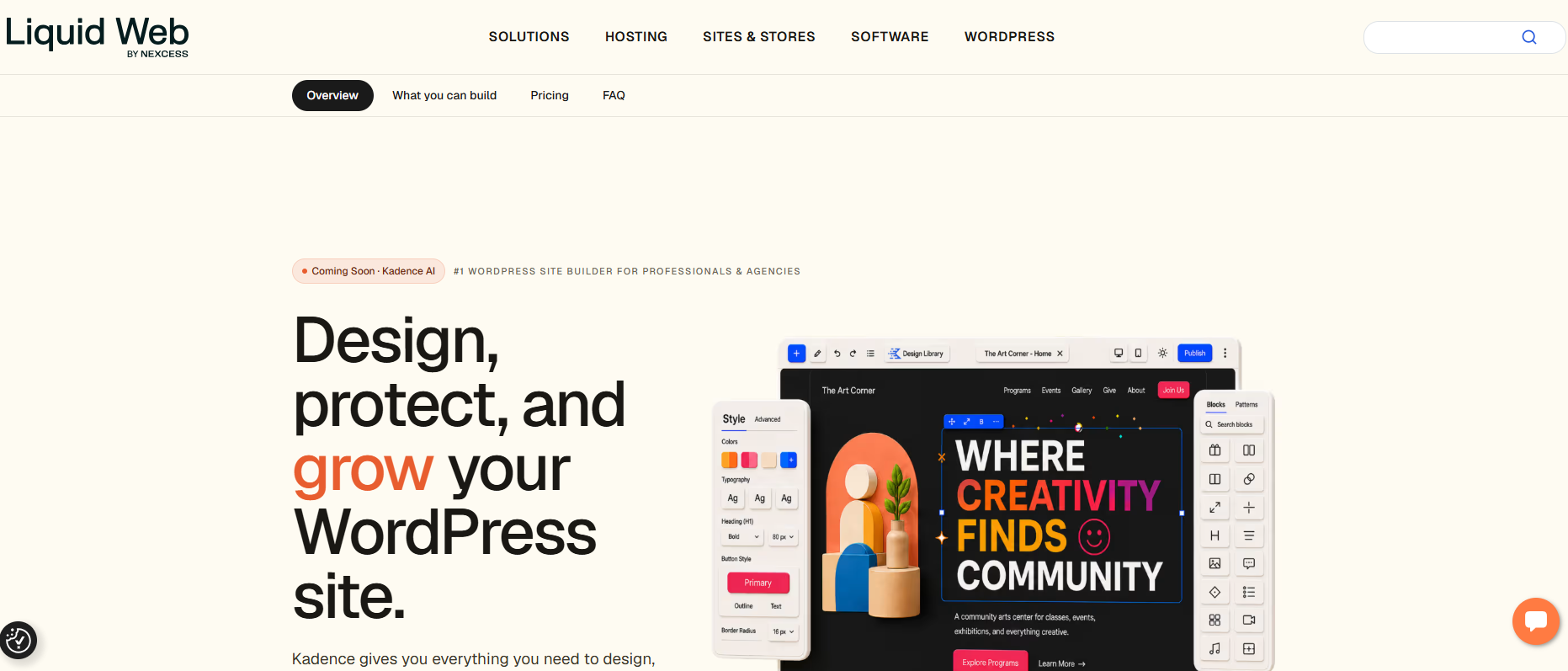
Same core plugin for WordPress subscription, new owner, and it’s no longer sold on its own.
Restrict Content Pro built a loyal following on simplicity: unlimited membership levels, clean content restriction, no bloat. In 2026, Liquid Web retired the standalone product and folded it into a bundle called Kadence Pro, alongside security, backups, and Shop Kit for WooCommerce.
Where it shines
- Still handles core content restriction and membership tiers cleanly
- Bundled with useful site tools if you already run Kadence
Where it falls short
- You can’t buy just the membership features anymore
- Older pricing pages citing standalone RCP rates are stale
- The free tier alone won’t cover advanced membership needs
What you get (via Kadence Pro)
- Membership tiers and content gating
- Drip content
- Shop Kit for WooCommerce
- Security and backup tools
- AI site builder
Kadence Memberships Pricing:
Free, limited tier on WordPress repo.
Essentials at $99/year
Pro at $299
Full features via Kadence Pro at $299/yr.
Who it’s for: anyone who liked RCP’s simplicity and doesn’t mind buying a bigger bundle to get it.
Ultimate Member

Best free user-profile and community engine, not a payment plugin by default.
Ultimate Member’s free core handles registration, profiles, and directories better than most paid alternatives, which explains its large install base. It has no built-in payment processing, though, recurring billing only works once you add the Stripe extension, so budget for that before counting it as a subscription solution.
Where it shines
- Front-end profile builder and drag-and-drop forms
- Member directories out of the box
- Generous free tier
Where it falls short
- No content dripping without a separate LMS
- No native payment gateway
- Heavier codebase than newer alternatives
What you get
- User registration and login
- Member directories
- Content restriction by role
- Social and community extensions
- Stripe extension for recurring subscription pricing
Ultimate Member Pricing:
Free core plugin.
Standard $276/yr (premium extensions and support).
Who it’s for: community and directory-driven sites where subscriptions are secondary to member profiles.
ARMember

The budget membership plugin with a direct myCred integration built in.
ARMember packs proration, drip content, and 21+ payment gateways into a plugin that starts under $80 a year, well under MemberPress and PMPro’s paid tiers. It won’t match MemberPress on LMS depth, but for straightforward membership plans with recurring billing, it covers the essentials.
Where it shines
- Low entry price
- Native myCred integration
- No renewal price jump like MemberPress
Where it falls short
- Fewer payment gateways on the entry tier
- Documentation gaps reported by users
- UI feels less polished than newer plugins
What you get
- Unlimited membership plans
- Drip content
- Membership proration
- 57+ add-ons on Standard
- myCred and WooCommerce integrations
ARMember Pricing:
Free, lifetime, 2 gateways.
Standard $89/yr (1 site, 5+ gateways).
Professional $139/yr (2 sites).
Enterprise $299/yr (10 sites).
Who it’s for: budget membership sites that want to plug straight into a myCred rewards program.
WooCommerce Subscriptions
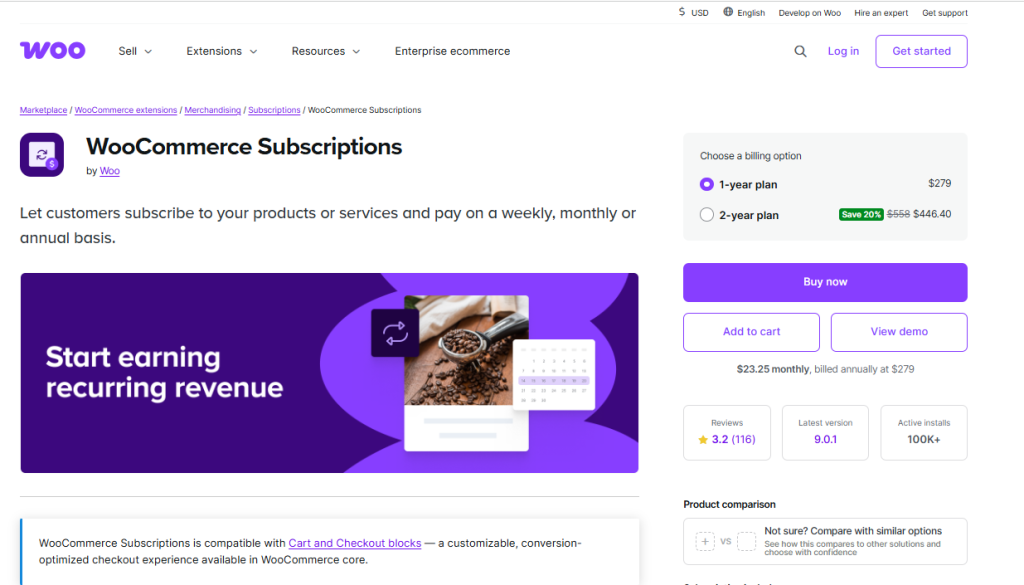
The official plugin, the deepest gateway support, also the most expensive single-site license here.
As the Automattic-built subscription plugin for WordPress, WooCommerce Subscriptions gets first-party support and the widest gateway compatibility of any WooCommerce billing tool, over 25 payment gateways. That reliability costs more than it used to: the license runs $279/yr for one site, up from roughly $199 in prior years.
Where it shines
- Broadest gateway support of any plugin on this list
- Renewal synchronization for shared billing dates
- Native upgrade, downgrade, and proration handling
Where it falls short
- No free tier
- Price has climbed year over year
- Cancellation-period customization is limited without add-ons
What you get
- Recurring billing on any schedule
- Free trials and signup fees
- Automatic failed-payment retry
- Subscriber self-service from My Account
- MRR and churn reporting
WooCommerce Subscriptions Pricing:
$279/yr, 1-year plan, 1 site.
$446.40 for 2 years (20% off).
Who it’s for: WooCommerce stores that want the plugin every other extension builds compatibility for first.
YITH WooCommerce Subscription

A merchant-friendly alternative to the official plugin, now under new ownership worth watching.
YITH’s subscription plugin covers the same core ground as WooCommerce Subscriptions at a lower price and adds a genuinely useful subscription-box builder the official extension doesn’t have. Newfold Digital, the company behind Bluehost, acquired YITH in 2026, and several long-time WooCommerce reviewers have flagged slower support and fewer updates since the sale.
Where it shines
- Subscription-box product type, unique to YITH
- Lower price than the official plugin
- Deep integration with the rest of the YITH ecosystem
Where it falls short
- Recent ownership change raises long-term support questions
- Free version limited to PayPal Standard only
- Some users report a dated interface
What you get
- Recurring billing for simple and variable products
- Subscription boxes
- Renewal synchronization
- Coupons for signup fees and recurring discounts
YITH WooCommerce Subscription Pricing:
Free core plugin.
Premium around $199.99/yr.
Who it’s for: WooCommerce stores that want subscription-box functionality without the official plugin’s price tag, with the acquisition risk factored in.
WPSubscription
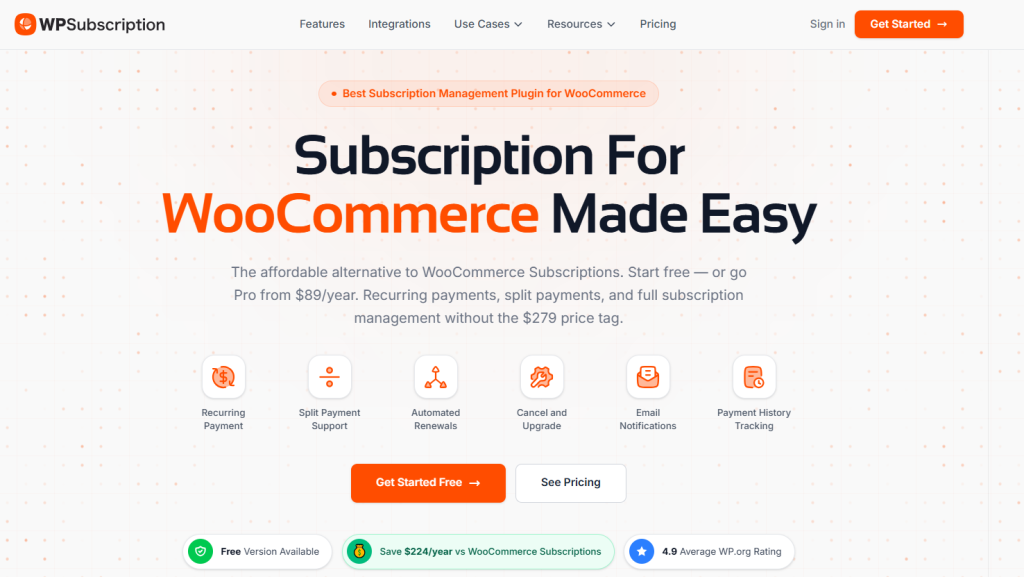
The newest entrant, built specifically to undercut the two above on price and interface.
WPSubscription is a 2026-era WooCommerce subscription plugin from the team behind ThriveDesk, aimed at stores that find WooCommerce Subscriptions expensive and YITH dated.
WPSubscription adds split payments, delivery scheduling, and Paddle support out of the box, features that cost extra or don’t exist on the older two.
Where it shines
- Modern interface, faster learning curve
- Paddle support alongside Stripe and PayPal
- Delivery scheduling built in for physical subscription boxes
Where it falls short
- Smaller install base and track record than the established options
- Fewer third-party integrations so far
What you get
- Simple and variable subscriptions
- Free trials and signup fees
- Split payments
- Delivery scheduling
- REST API and customer self-service dashboard
WPSubscription Pricing:
Free core plugin.
Paid plans starts from $89/yr.
Lifetime license starts from $179.
Who it’s for: stores that want a modern WooCommerce subscription plugin without paying official-extension prices.
SUMO Subscriptions

The one-time-fee holdout in a category full of annual licenses.
SUMO Subscriptions sells through CodeCanyon for a single upfront payment instead of a yearly renewal, which appeals to store owners tired of paying for the plugin every year on top of the products it bills.
The interface feels older next to WooCommerce Subscriptions or WPSubscription, and support runs through Envato’s model rather than a dedicated team.
Where it shines
- One-time cost instead of an annual license
- Unlimited sites included
- Wide range of billing and renewal options
Where it falls short
- Dated admin interface
- Only 6 months of support included by default
- Extended support costs extra
What you get
- Simple, variable, and grouped product subscriptions
- Automatic and manual renewal options
- Multi-currency support
- Bulk subscription updates
SUMO Subscriptions Pricing:
Around $49 one-time (CodeCanyon), 6 months support included.
Who it’s for: stores that want to avoid another annual license and don’t mind an older admin experience.
WP Simple Pay

Recurring Stripe payments with no cart, no products, no WooCommerce.
WP Simple Pay skips the ecommerce layer entirely. Connect Stripe, build a payment form, start billing, which makes it the fastest way to add subscriptions to a WordPress site that doesn’t sell physical products.
Recurring billing isn’t available on the cheapest paid tier, so budget for Plus if subscriptions are the actual goal.
Where it shines
- Fastest setup for pure Stripe billing
- Works on any WordPress site without WooCommerce
- Apple Pay, Google Pay, and buy-now-pay-later on higher tiers
Where it falls short
- Personal tier doesn’t include recurring payments
- Stripe-only, no PayPal or other gateways
- Not built for product catalogs or shopping carts
What you get
- Drag-and-drop payment form builder
- One-time and recurring payment forms
- Free trials and setup fees
- Automated renewal reminders on paid tiers
WP Simple Pay Pricing:
Free (Lite, 3% transaction fee).
Personal $49.50/yr, no recurring.
Plus $99.50/yr, recurring unlocked.
Professional $199.50/yr.
Elite $299.50/yr.
Who it’s for: consultants, coaches, and nonprofits who want recurring Stripe payments without building a store.
Easy Digital Downloads

Built for digital products and software licenses, not physical inventory.
EDD is the standard choice for selling downloads, software licenses, and SaaS-style access inside WordPress, and its Recurring Payments extension turns any product into a subscription. Recurring billing isn’t included on the entry Personal Pass, you need the Extended Pass to unlock it, worth knowing before buying the cheaper tier by mistake.
Where it shines
- Purpose-built for digital and licensed products
- Integrates with Software Licensing for auto-renewing license keys
- Strong, responsive support team
Where it falls short
- Recurring payments in EDD require the second-tier pass
- Not designed for physical products
- Smaller plugin ecosystem than WooCommerce
What you get
- Recurring billing on any download
- Subscription-gated content restriction
- Software license key renewals
- CSV subscription exports
Easy Digital Downloads Pricing:
Free core plugin.
Extended Pass $199.50/yr, includes Recurring Payments.
Professional Pass $299.50/yr.
All Access Pass $499.50/yr.
Who it’s for: plugin, theme, and SaaS sellers whose product is digital, not physical.
Constellation – Memberships
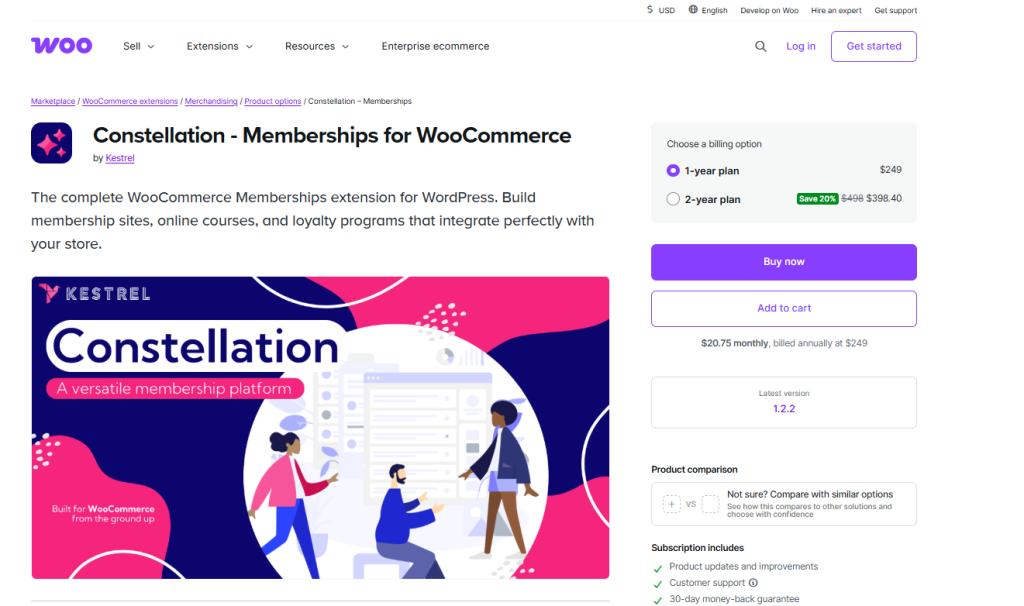
WooCommerce’s newer, cleaner answer to gating content and products behind membership tiers.
Constellation is a newer official WooCommerce product built for restricting content and products by membership tier, positioned as a lighter alternative to the older WooCommerce Memberships extension. It pairs naturally with WooCommerce Subscriptions for billing, since Constellation itself handles access control, not recurring payments.
Where it shines
- Official Woo support and updates
- Clean tier-based access control
- Built to work alongside WooCommerce Subscriptions, not duplicate it
Where it falls short
- Newer product with a smaller review history
- Still needs WooCommerce Subscriptions for the billing half
- Less third-party documentation than older alternatives
What you get
- Membership tier creation
- Content and product restriction by tier
- Integration with WooCommerce Subscriptions
Constellation – Memberships Pricing:
Starts at $249/yr.
Who it’s for: WooCommerce stores that want official support for gating content, paired with WooCommerce Subscriptions for billing.
Decision Framework to Choose The Best Subscription Plugin for WordPress
You’re on a tight budget and only need WooCommerce billing:
SUMO Subscriptions, a $49 one-time fee, covers the core recurring-payment features most small stores need.
You need official WooCommerce compatibility and long-term support:
WooCommerce Subscriptions is the safest default despite the $279/yr price, since every other Woo extension builds for it first.
You’re running a content-gated membership site, course platform, or community:
MemberPress or Paid Memberships Pro handles access control that WooCommerce plugins for billing don’t touch.
You want WordPress-native subscriptions without WooCommerce at all:
WPSubscription or Ultimate Member with the Stripe extension gets you recurring billing without an ecommerce cart.
You sell digital products, software licenses, or SaaS plans:
Easy Digital Downloads with the Extended Pass is purpose-built for downloadable and licensed goods, not physical inventory.
You just need to collect a few recurring payments, no store required:
WP Simple Pay on the Plus tier connects straight to Stripe with no product catalog to manage.
You want subscribers to stick around, not just get billed on time:
None of the above do that alone, pair whichever WordPress subscription plugin you pick with a retention layer like myCred.
How myCred Covers Retention Gap for WordPress Subscription Plugin
Every subscription plugin for WordPress in this guide does one job well: it bills people on schedule and grants or revokes access.
Not one of them gives a subscriber a reason to stay beyond inertia. That gap costs real money.
Subscription WooCommerce stores run about 15% average churn, and a new customer costs 5 to 25 times more to acquire than an existing one costs to keep (Marketing LTB, 2026; Harvard Business Review, 2014).
Billing software solves the mechanics of a subscription. It does nothing for the psychology of why someone renews instead of cancels.
myCred closes that gap by sitting on top of the billing layer instead of replacing it. It integrates directly with WooCommerce Subscriptions, so customers can pay a renewal with points they’ve already earned. Also, it awards ranks or badges for staying subscribed past a milestone.
A subscriber who sees their progress toward a reward has a different relationship with your renewal date than one who just gets an invoice.
If you’re running any WooCommerce subscription plugin from this list, the myCred WooCommerce Plus addon is the fastest way to add points, ranks, and badges on top of it, and the WooCommerce setup guide walks through the integration step by step.
Install the free core plugin first, connect it to your subscription setup, and see what a retention layer does that billing alone can’t.